日本語
Arrive Alarm icon

Arrive Alarm
GPS alarm so you never miss your stop

Worried about falling asleep and missing your stop on the train or the bus? Arrive Alarm is a GPS alarm app that vibrates automatically as you get close to the station or bus stop where you want to get off. It keeps you from oversleeping on your commute, and from missing your stop somewhere unfamiliar. Free on Android.

Get it on Google Play
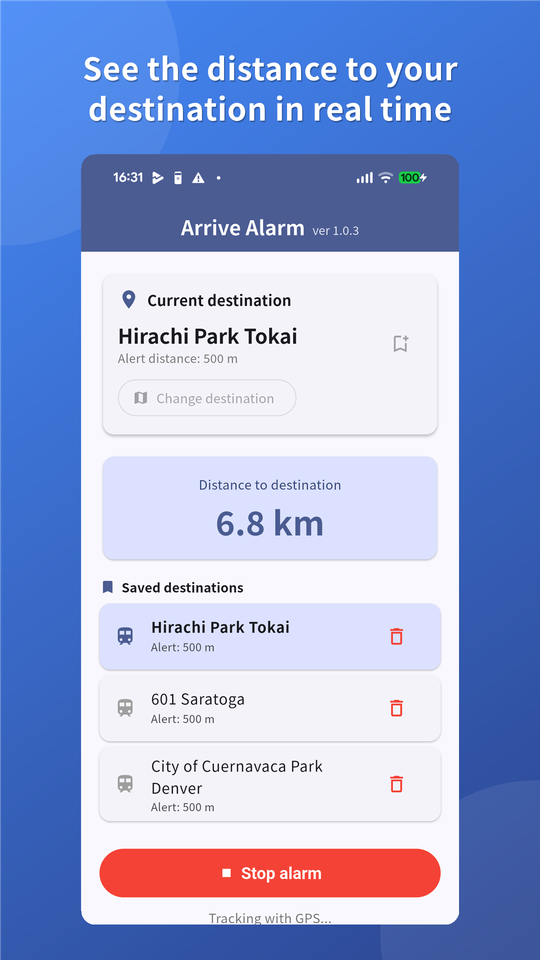
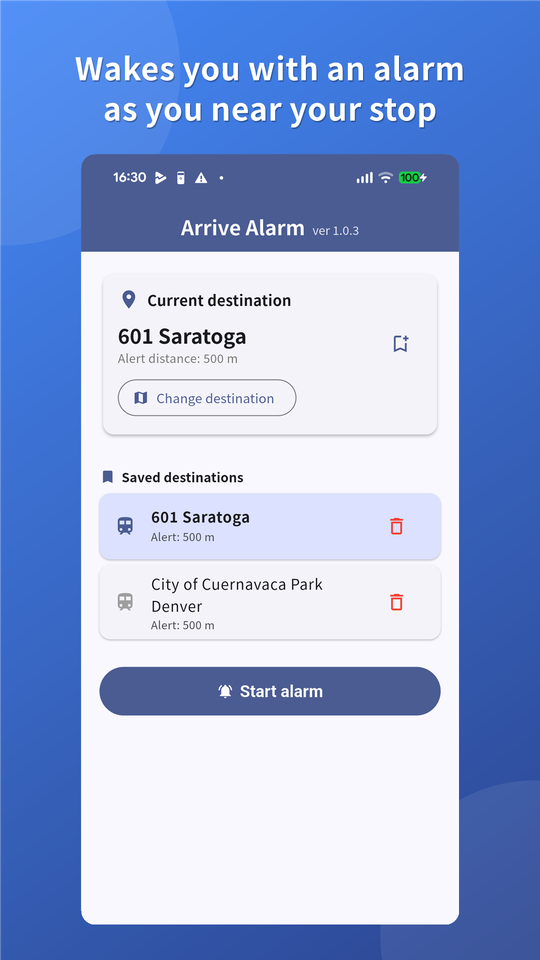
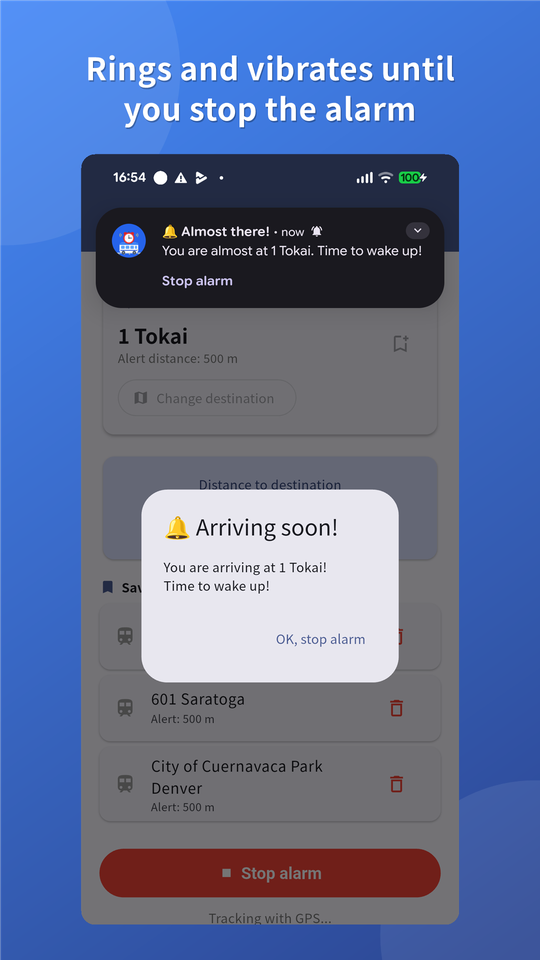
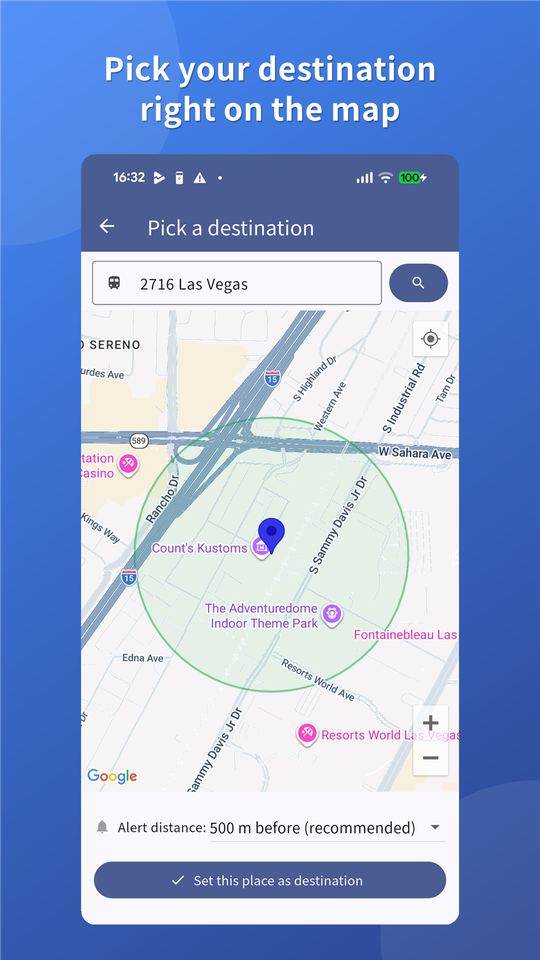
Picking the destination on the map in Arrive Alarm Live distance to the destination shown in Arrive Alarm Arrive Alarm home screen with saved destinations The Arrive Alarm alarm going off before the stop

Problems it solves

So "I woke up at the last stop" never happens again.

How it works: three easy steps

That is the whole setup. The app watches the rest.

1
Picking the destination on the map in Arrive Alarm

Pick where you get off

Tap the station or bus stop on the map. You can also search by name.

2
Choosing the alert distance

Choose the alert distance

100 m / 300 m / 500 m / 1 km.

3
The Arrive Alarm alarm going off before the stop

Start the alarm

Tap "Start alarm" and then just relax and sleep.

Key features

It works from your position, so lines and timetables do not matter.

GPS alarm

Vibrates automatically as you approach your station or bus stop.

Vibration

It gets your attention where you cannot make a sound (there is no alarm tone).

Live distance

See at a glance how many meters are left.

Favorites

Bring up the stops you use often with one tap.

Runs in the background

Keeps tracking your location even with the app closed.

Trains or buses

It works from your position, so lines and timetables do not matter.

Who it is for

Download (free)

Available now on Google Play. Install it from the button below.

Get it on Google Play

Free to use. The app shows ads.
Requires Android 7.0 or later. Not available for iPhone.
Google Play and the Google Play logo are trademarks of Google LLC.

Frequently asked questions

Q. Does it cost anything?
A. No, it is free. The app shows ads.
Q. Can I use it for something other than trains?
A. Yes. It works from your position, so you can use it as a destination alarm on a bus, on the bullet train, or in a car.
Q. How should I set the location permission?
A. You do not need "Allow all the time"; "While using the app" is enough.
Q. How is my location handled?
A. It is used on your device to work out the distance to your destination. See the privacy policy for details.
Q. How much battery does it use?
A. Some, because it uses location. Tracking stops as soon as you stop the alarm.